
Up to 90% of South Florida Law Firms Failed Google's Speed Test
We ran Google's speed test on 421 South Florida law firm websites. 379 failed on a phone. Here's what a slow site costs a firm in rankings and signed cases.
We ran Google’s own speed test on the websites of 421 law firms across Miami-Dade, Broward and Palm Beach. 379 of them, 90%, failed on a phone. Only 42 passed.
The typical firm site scored 62 out of 100 and took 7.7 seconds to show its main content. Google’s target is 2.5 seconds.
What this means for a law firm
The person looking for a lawyer is often on a phone, in the worst week of their life: after a crash, an arrest, a call from ICE. They don’t wait 7.7 seconds. They hit back and call the next firm on the list.
A slow site costs a firm in two places:
- Fewer people reach your intake form. In a study Google commissioned from Deloitte, making lead-generation sites just 0.1 seconds faster sent 21.6% more visitors on to the form submission page. The typical site in our study is 5.2 seconds over Google’s target.
- Fewer people find you in the first place. Google says it “highly recommend[s] site owners achieve good Core Web Vitals for success with Search.” Half of the firm sites Google could grade on real visitors failed that assessment.
Put a number on it. Under Florida Bar rules, a personal injury firm can take 33⅓% of a recovery up to $1 million when the case settles before an answer is filed. On a $90,000 settlement, that’s a $30,000 fee. If a slow website costs a firm one signed case a month, that’s $360,000 a year going to a competitor. Across the 379 firms that failed, slow websites could be costing South Florida law firms millions in cases.
I’m not naming firms. The point isn’t to embarrass anyone. This is the normal state of law firm websites in the market I work in, and I’d bet most firm owners have never run the test.
The results at a glance
- 90% of firms failed Google’s speed test on a phone, scoring under 90. 15.7% were so slow Google rates them Poor, under 50.
- The typical mobile score is 62 out of 100. On desktop it’s 88.
- The typical site takes 7.7 seconds to show its main content on a phone. Only 7.8% do it within Google’s 2.5 seconds.
- Only 82 of the 421 sites get enough traffic for Google to grade real visitors. Half of those failed Google’s Core Web Vitals on mobile.
- Page weight predicts the score. How many Google reviews a firm has doesn’t.
- WordPress without a speed plugin is the slowest common setup, with a typical mobile score of 56.
- 22 of 445 listings, about 1 in 20, send people to a website that doesn’t work at all.
How the test worked
The list came from Google Maps listings for law firms in ten practice areas, from personal injury to tax, in the three South Florida counties. I tested each listing’s website as it appears in Maps, home page only, through the PageSpeed Insights API (Lighthouse 13.5).
- Mobile is Google’s simulated mid-tier phone on a mobile network. Desktop is a simulated desktop on a wired connection.
- Lighthouse scores move from run to run, so every site was tested three times on mobile, five when the runs disagreed, and the median score is the one reported. Desktop scores swing less and were tested once.
- A run only counted if Google’s tester reached the real site. Runs that hit an error page, a bot check or a parked domain were thrown out and retried. Listings that lead to the same website count once.
- Every site was also loaded directly, with normal certificate checks, to confirm which ones are dead or broken.
What counts as failing. In this study a site passes when it scores 90 or better on mobile, the band Google calls Good and tells site owners to aim for: “sites should strive to have a good score (90-100).” Anything under 90 fails. Google’s own labels for the lower bands are Needs Improvement (50 to 89) and Poor (0 to 49).
Phones are where these sites fall short
On a desktop, almost half the sites score Good. On a phone, one in ten does.
How South Florida law firm websites score
Share of sites in each of Google's Lighthouse performance bands
- Good (90–100)
- Needs improvement (50–89)
- Poor (0–49)
- Mobile (421 sites) median 62
Good 10.0% · Needs improvement 74.3% · Poor 15.7%
- Desktop (419 sites) median 88
Good 46.3% · Needs improvement 49.6% · Poor 4.1%
The same website scores a median of 20 points lower on a phone than on a desktop. That gap matters more than the desktop number, because Google’s mobile test is the closer picture of what someone searching for a lawyer on their phone gets.
7.7 seconds before the page shows anything useful
Largest Contentful Paint (LCP) is the time until the biggest thing on the screen appears, usually the headline or the hero photo. It’s the moment the visitor can tell they landed in the right place. Google’s line for a good LCP is 2.5 seconds or less, and over 4 seconds is Poor.
How long the main content takes to appear on a phone
Largest Contentful Paint from each site's median mobile test, in Google's bands
- Good: 2.5 seconds or less 33 sites · 7.8%
- Needs improvement: 2.5 to 4 seconds 54 sites · 12.8%
- Poor: 4 to 10 seconds 170 sites · 40.4%
- Poor: more than 10 seconds 164 sites · 39.0%
Only 33 sites get their main content on screen within 2.5 seconds. 334, or 79%, take longer than 4 seconds. Almost 4 in 10 take longer than 10.
This is a lab test on a simulated phone and network, so a visitor on a new phone and good Wi-Fi will see something faster. Google also measures real visitors, and that data says the same thing.
What real visitors see: Core Web Vitals
Google collects speed data from real Chrome users over the previous 28 days and grades it as Core Web Vitals: loading (LCP), responsiveness (INP) and visual stability (CLS). A site passes when all three are good for at least 75% of visits.
Most firm websites in the study didn’t get enough traffic to be graded. Only 82 of the 421 had mobile data, and 41 of those, half, failed. In 33 of the 41 failures, loading speed was part of the problem. On desktop, 32 of 83 graded sites failed (38.6%).
Google is careful to say relevance comes first: a fast site doesn’t outrank a better answer. But when many firms offer similar pages, which describes most practice-area searches in a market this crowded, “having a great page experience can contribute to success in Search.”
What predicts a slow site: page weight, not reputation
The best predictor of a slow site was simply how much the home page makes the phone download. The median home page in the study weighs 2.4 MB and pulls in 71 separate files. 75 sites load more than 5 MB, 28 load more than 10 MB, and the heaviest loads 35 MB.
Across the 421 sites, page weight and the number of files each had a strong link to a lower mobile score (rank correlations of −0.68 and −0.62). The number of Google reviews a firm has had almost none (0.05), and neither did its star rating. Plenty of well-reviewed, well-known firms have slow sites. A strong practice doesn’t produce a fast website on its own.
WordPress without a speed plugin is the slowest common setup
At least 70% of the sites run on WordPress. The sites where Lighthouse could see a WordPress speed plugin, WP Rocket or NitroPack, scored far better than the rest.
Median mobile score by platform
Platform as Lighthouse detects it from the page's code. Groups with 20 or more sites.
- WordPress with NitroPack median 76
23 sites · 4.3% Poor
- WordPress with WP Rocket median 72
59 sites · 3.4% Poor
- No platform detected median 66
90 sites · 11.1% Poor
- React median 63
27 sites · 0% Poor
- WordPress, no speed plugin detected median 56
214 sites · 22.9% Poor
A speed plugin helps because it compresses, caches and defers what’s already there. It doesn’t remove what’s slowing the page down in the first place: the slider, the page builder, the chat widget and the stack of tracking scripts. That is why even the plugin groups land in the 70s, not the 90s.
When I rebuilt a Virginia firm’s website this month without any of that, its home page went from a mobile score of 54 to 76 and from 52 to 99 on desktop, measured before launch. That site still has work to do on mobile, which tells you how much ground there is to cover.
The same problems, on almost every site
Lighthouse lists what’s slowing each page down and estimates how much time fixing it would save. The same handful of problems shows up across the market.
What Lighthouse flagged most often on mobile
Share of the 421 sites where each problem appeared, with Lighthouse's median estimated saving
- JavaScript the page loads but never uses 86.7%
median estimated saving 1.4 s
- Images larger or heavier than the screen needs 85.0%
median estimated saving 0.6 s
- CSS the page loads but never uses 81.7%
median estimated saving 0.5 s
- Files the browser has to download again on every visit 81.5%
median estimated saving 0.8 s
- Files that block the page from drawing 78.9%
median estimated saving 2.1 s
- Images with no set size, so the page jumps as they load 49.2%
- Total download too large 43.9%
None of this is exotic. It’s what a page builder, a theme with forty features, three tracking scripts and a chat widget add up to. The biggest single item, files that block the page from drawing, has a median estimated saving of 2.1 seconds on its own.
By practice area and county
The three counties are almost identical: a median mobile score of 61 in Miami-Dade, 62 in Broward and 63 in Palm Beach. Practice area made more of a difference.
Share of sites scoring Poor (under 50) on mobile, by practice area
Practice areas with 20 or more sites in the study
- Personal injury (83 sites) 27.7%
- Family law (76 sites) 17.1%
- Immigration (30 sites) 16.7%
- Criminal defense (81 sites) 14.8%
- Estate planning and probate (56 sites) 12.5%
- General practice (68 sites) 8.8%
- Employment (21 sites) 0%
More than 1 in 4 personal injury sites scored Poor, the highest share of any practice area. Personal injury is also where firms compete hardest for every click, so a slow landing page wastes more money there than anywhere else.
1 in 20 listings lead nowhere
Before any of the speed numbers, 22 of 445 listings (duplicates removed), 4.9%, point to a website that doesn’t work:
- 11 are dead. The domain no longer exists, the server is down, or the home page returns an error.
- 2 are parked or lapsed. One firm’s old domain now redirects to an unrelated gambling site.
- 9 show a security warning. The site’s security certificate is expired, self-signed, missing or issued for another domain, or the server’s security setup is outdated, so browsers show a full-page warning instead of the site.
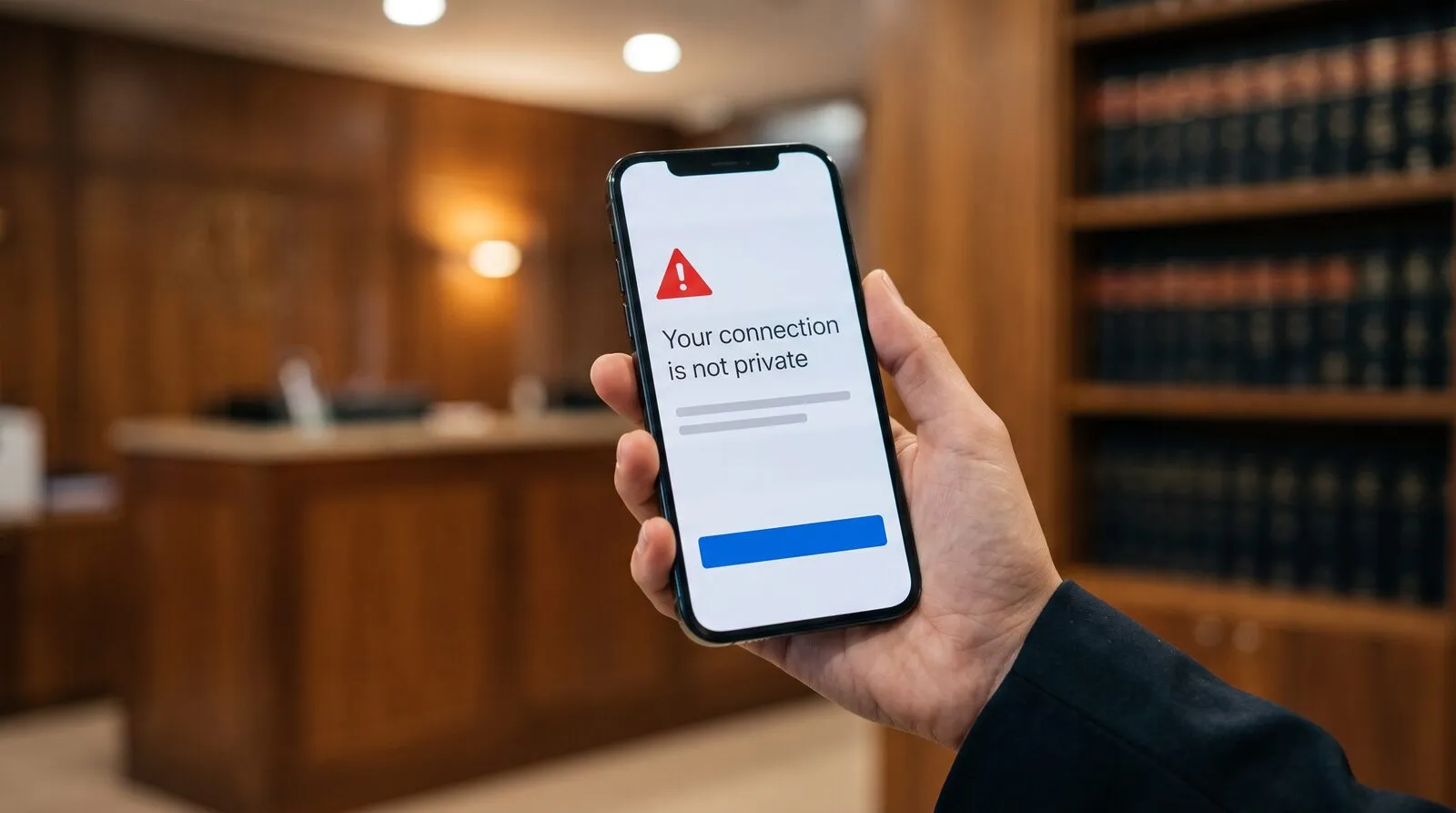
Each of these listings had a Website link in Google Maps when the list was pulled. One detail surprised me: Google’s own speed tester gave three of the certificate-error sites a normal score anyway. A good score doesn’t prove a visitor can open your site.
What score should a law firm website have?
Aim for 90 or better on mobile, which is Google’s Good band. Google also says a perfect 100 is “extremely challenging to achieve and not expected”, so don’t chase it. If you only track one number, make it Largest Contentful Paint on mobile, under 2.5 seconds.
In this study, a mobile score of 90 puts a firm in the top 10% of South Florida. Only 35 of the 421 sites scored Good on both phone and desktop.
Check your own site in five minutes
- Run our free law firm website speed test on your home page. It’s the same test as this study: Google’s test three times on mobile, once on desktop, and how your site compares with law firms across South Florida.
- Look at the mobile score first. 90 or better passes, and that’s the number your clients’ phones live with.
- Check main content on a phone. That’s how long a visitor waits for your page to look loaded. Over 4 seconds is Poor.
- Look at real visitors. If Google has enough traffic to grade your site, it shows whether you pass Core Web Vitals. If not, the lab score is your best guide.
- Ask for the full report. It lists everything that needs fixing on your site, the exact files and parts of the page behind each problem, and how I’d fix it.
One more check the tool can’t do for you: open your site on your phone from the link in your Google Business Profile. Make sure it loads without a security warning, and that your domain and SSL certificate renew automatically.
If your score comes back under 50, or your main content takes more than 4 seconds on a phone, the full report shows what’s slowing it down and whether it needs a tune-up or a rebuild. You can also write me at hi@carlosarias.com.

I'm a Marketing Engineer specializing in digital marketing for law firms, helping firms turn online visibility into signed cases. I work directly with a select group of firms on SEO and local search, website conversion, lead intake and follow-up, CRM automation and marketing analytics.
Continue reading

Florida Law Firm Wiretapping Liability: $100 a Day Plus Their Fees
Florida's 1969 wiretap law demands all-party consent before a pixel reads your intake form. Lose, and § 934.10 hands the plaintiff your fee invoice too.

Your Law Firm Can Get Sued Over Its Own Website (The Widget Won't Save You)
Your law firm can get sued over its own website. The ADA names lawyers' offices by statute, the overlay widget is not a defense, and the fix pays twice.

A2A for Law Firms: Your Next Client May Never Visit Your Website
A2A for law firms, tested on my own site: what your Agent Card must declare, and the ethics rules that still apply to agent-ready intake.